Role: Principal Product Designer & UX Engineer
Team: 6 Engineers, 2 Product Managers, National Ops Stakeholders
Timeline: March 2023 – November 2025
Scale: Supporting thousands of high-stakes daily transactions across national markets
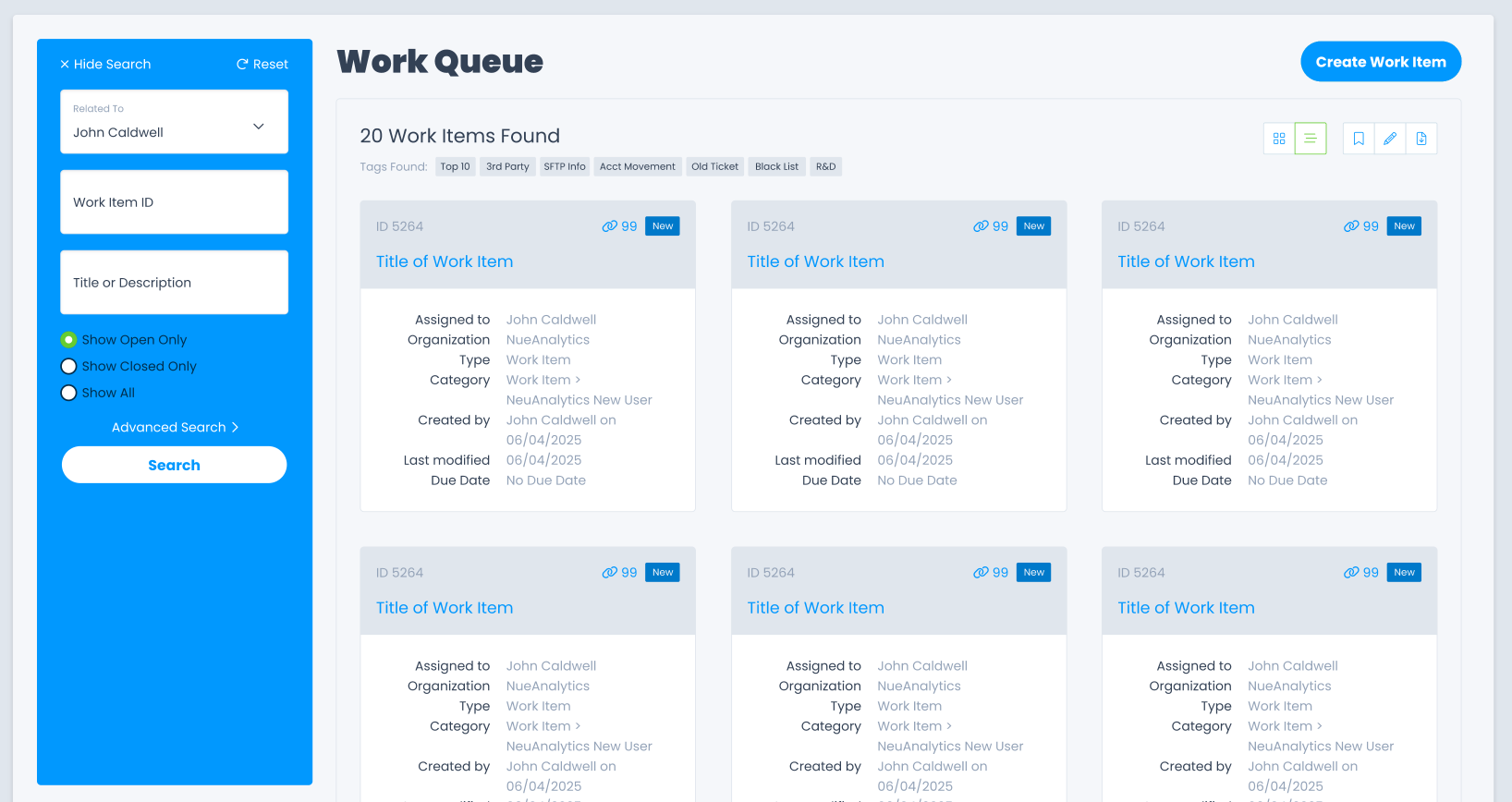
Note: All visual examples are conceptual abstractions for confidentiality.
The Challenge: The $1M "UI Fragility" Problem
The platform supported mission-critical financial operations, but years of "layered" development created a system where users had to fight the interface to stay compliant.
• The Problem: Slow performance and "UI Entropy" led to frequent manual errors and high volumes of duplicate work.
• The Technical Ceiling: The legacy AG Grid implementation was throttled by outdated metrics, making it impossible to achieve the speed required for high-volume operations.
• The Goal: Refactor the core interaction model and stabilize the technical foundation without interrupting live production.
The Strategic Trade-off: Performance vs. Familiarity
One of the most significant leadership decisions I made was retiring legacy plugins in favor of a modern, lightweight React implementation.
• The Decision: I led the pivot to move away from deep, custom column reordering (legacy) to gain sub-second page load times (modern).
• The "Moving the Cheese" Moment: Initial testing showed that while the system was faster, power users felt a loss of agency. I initiated a series of stakeholder alignment sessions to re-prioritize the roadmap, re-integrating essential power features without sacrificing the new performance gains.
• The Result: Built a transparent feature roadmap that restored user trust and ensured the migration didn't stall due to internal friction.
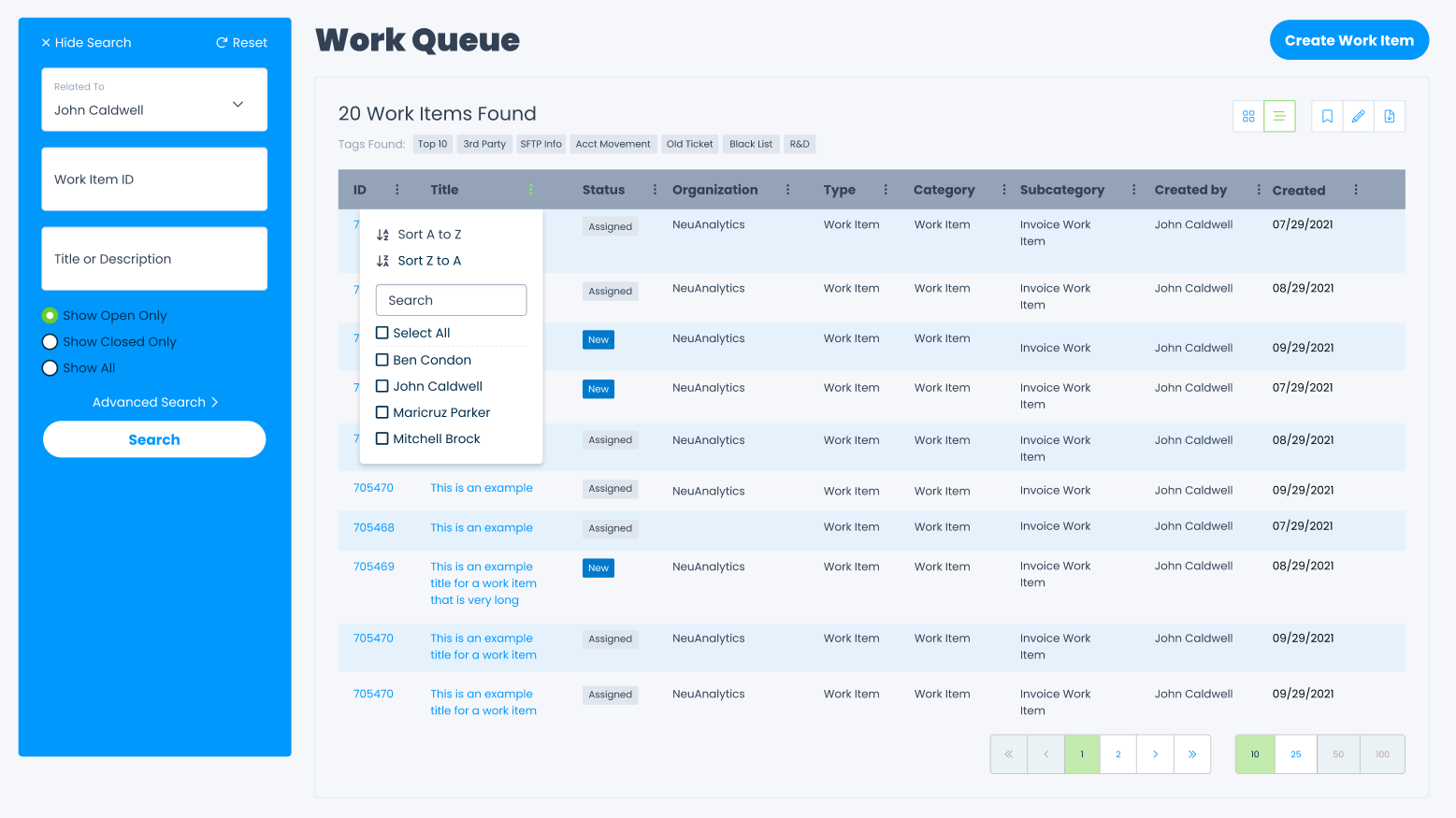
Systems-Level Modernization: My Direct Impact
• I architected a robust, persistent filtering engine that allowed power users to bypass 90% of manual configuration through "Saved Contexts".
• I engineered a keyboard-first navigation system, enabling "eyes-on-the-work" processing that significantly increased daily throughput.
• I codified the organization’s first production-aligned Design System, establishing 1:1 parity between Figma components and React code.
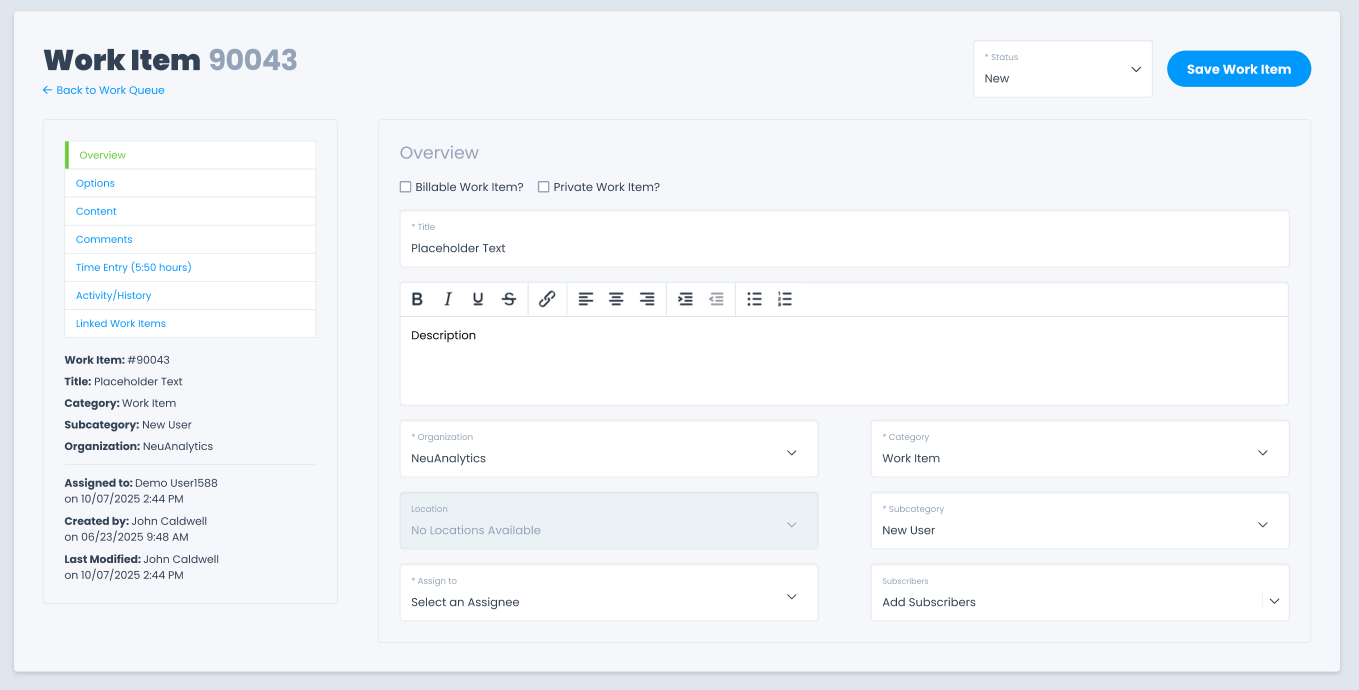
Work Item Detail
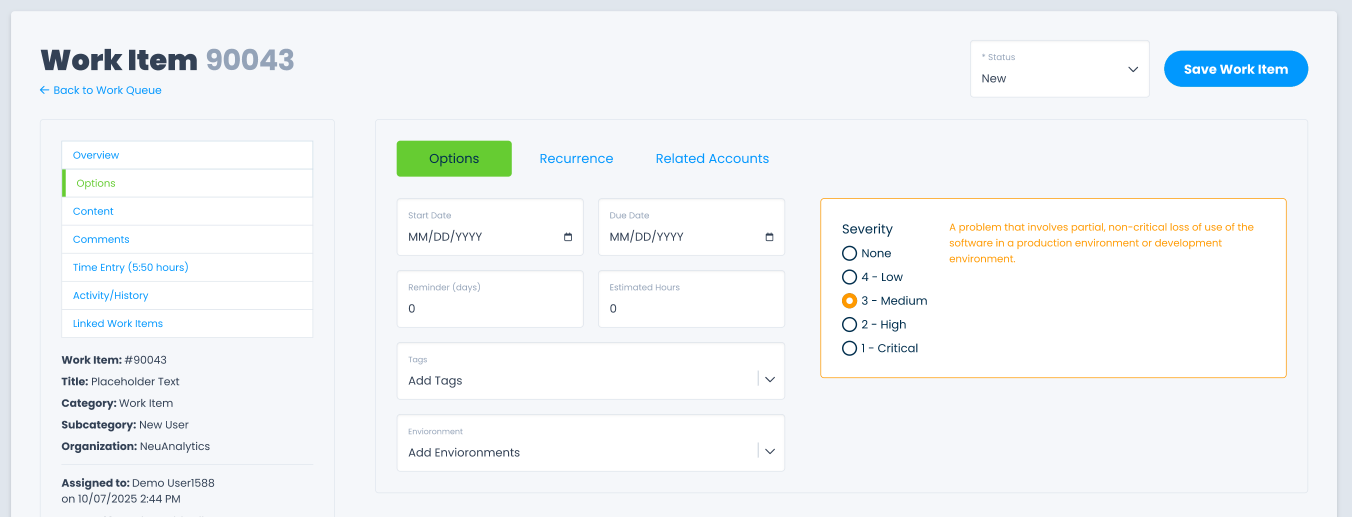
Work Item Options
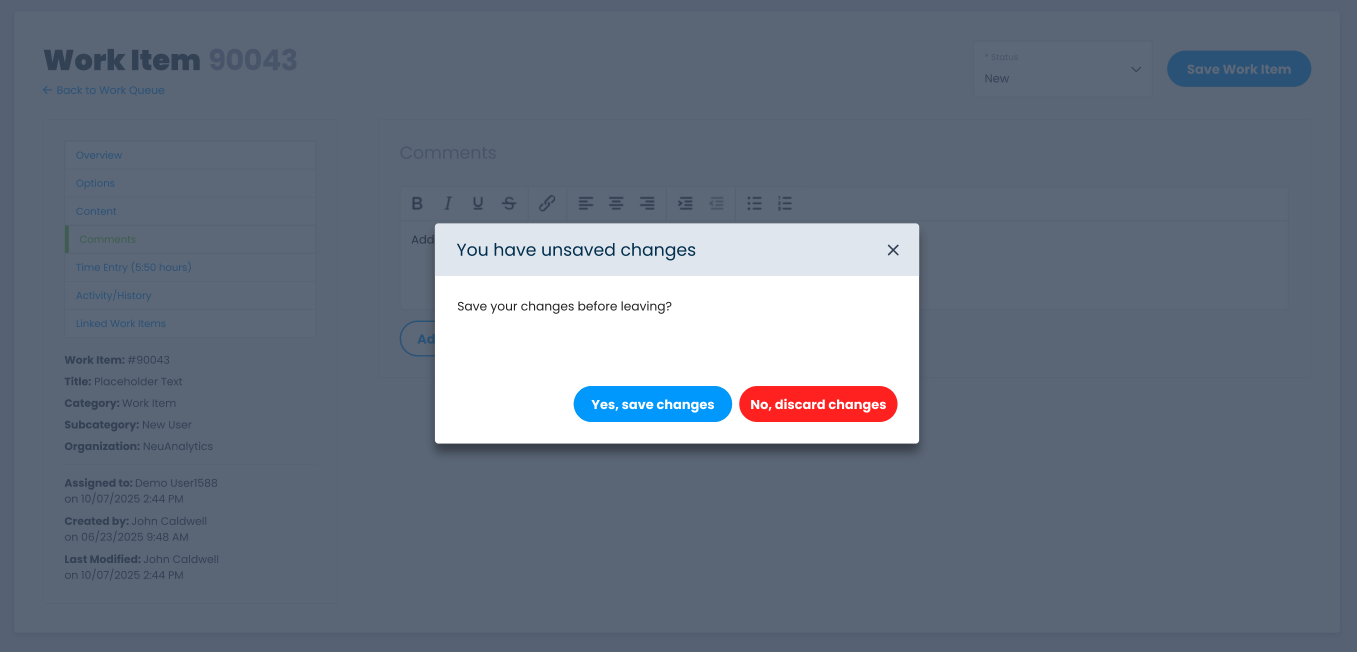
Unsaved Changes Alert
The Strategic Pivot & Alignment
Course Correction through Transparency
We pivoted immediately to bridge the gap between technical stability and user needs. I led a series of Stakeholder Alignment sessions to re-prioritize the roadmap and re-integrate the essential "power" features into the new modern framework.
• Iterative Re-integration: We successfully engineered filterable columns and custom views back into the React architecture, ensuring they met both our new performance standards and the users' functional requirements.
• The Communication Strategy: I formalized a Transparent Feature Roadmap, providing internal users with visibility into when and how their "missing" tools would return, which immediately lowered friction and rebuilt trust between Design and Operations.
Strategic Outcomes & "Proxy" Metrics
While hard financial numbers are confidential, the structural impact of the refactor is measurable:
• Operational Velocity: Successfully enabled bulk-processing workflows for hundreds of records simultaneously, a 10x capacity increase over the previous 1-by-1 model.
• Engineering Efficiency: Reduced the "Interpretation Gap" between design and dev, allowing the team to ship UI updates 30% faster.
• Zero-Loss Migration: Modernized the interaction model for thousands of users without a single hour of production downtime.
• Systemic Integrity: The patterns established here evolved into the official company Design System, serving as the blueprint for all future financial tools.
Let’s Connect
I specialize in untangling complex enterprise workflows and bridging the gap to engineering. If you’re looking for a Product Architect to lead your next zero-to-one initiative, let’s connect.